
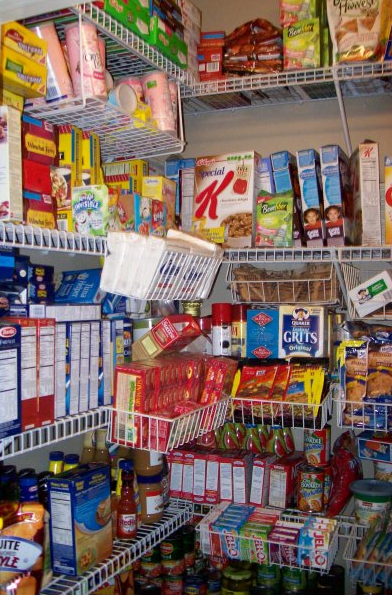
Creating a weekly menu is a vital way to make sure that you stay on budget. I mentioned before that you should plan your menus around what is on sale, but you should also make as many meals out of your pantry as you can.
To find out what you can make, I suggest you use a recipe builder tool that lets you plug in the ingredients you have on hand. Here are a few of the FREE recipe builders:
- Allrecipes
- Kraft Foods (look for the Use What’s On Hand on the far right side)
- Recipe Matcher
- Dinner Tool
- Super Cook
When I plan my weekly menu, I first take inventory of what meats I have on hand. I use a recipe builder like one of the ones above or I just use the index in my favorite cookbook. If I find a recipe that I want to make, I check the pantry first to see if I have the ingredients. If I don’t, I keep looking until I find a recipe that does. If I don’t find anything that includes all the ingredients I have on hand, then I add some ingredients to the shopping list for the week (try to make sure they are on sale and use my coupon database to see if there is a coupon available). Your goal is to keep your family fed for as cheap as possible.
If you are new to Couponing, you might want to take a moment to read more in my Getting Started Couponing series.





Jennifer says
A meal planning tool that helps me is http://www.tastyplanner.com You can select recipes from their database, or add your own. You can then drag and drop recipes in for each day of the week (or future weeks) and a shopping list is automatically generated. You can also add items to the shopping list that aren’t in the recipes (milk, bread, etc.) and even select them to be weekly items. I have tried Dinner Tool, but this one works best for us.
Sarah says
For those in MN, WI, or IL, I do a blog where I come up with about 5 recipes each week that come from the deals at Roundy’s stores and Cub Foods.
Here is the link…
http://sarahrosegibson.blogspot.com/search/label/Cooking%20the%20Deals
Stacy says
This one has saved me a ton of time and money by making meal planning really easy: http://www.plantoeat.com/eakmkhvlki
It allows you to store recipes, meal plan and generate a shopping list all at once. Drag a recipe from your list to your calendar. Then automatically generate a shopping list based on the ingredients of the recipes in your calendar. Inventory your pantry/freezer and plan a meal from what you have on hand. You can even import recipes from popular recipe sites.